Different Philosophies
This isn’t Microsoft 365, you can’t TAP in a Google account, if you don’t know the password you need to change it.
The way I like to think about it is that Microsoft is more admin focused — the user’s account is never really theirs. Google is more user focused — admins can’t just drop in.
also… How to TAP in
Keep in mind
This is not quiet. The user will get a 2FA notification when you try to sign in, and they will get a ‘Was this you’ email when you succeed. This usually isn’t an issue as you typically do this after hours.
But if a manager wants to have a snoop, let them know this is NOT quiet like it is with Microsoft.
also… Detected Unusual Signin
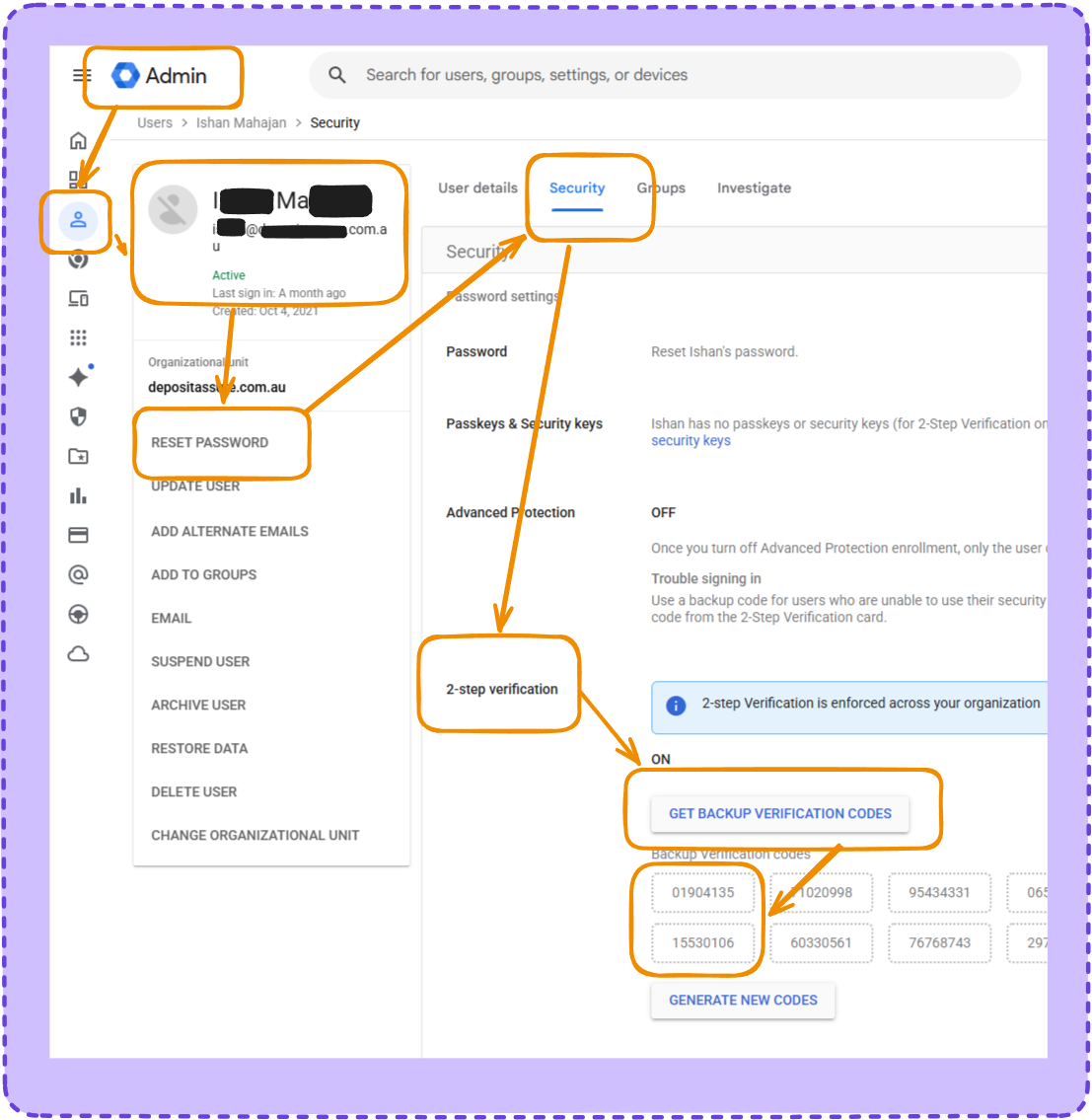
Step One — Google Admin
- Find your user
- Reset their password if you don’t have it
- Go to the Security tab
- Click on 2-step verification
- ‘Get Backup Verification Codes’
- Record a code or two
Step 2 — Sign In
Gmail, or any Google service
- Sign in as the user
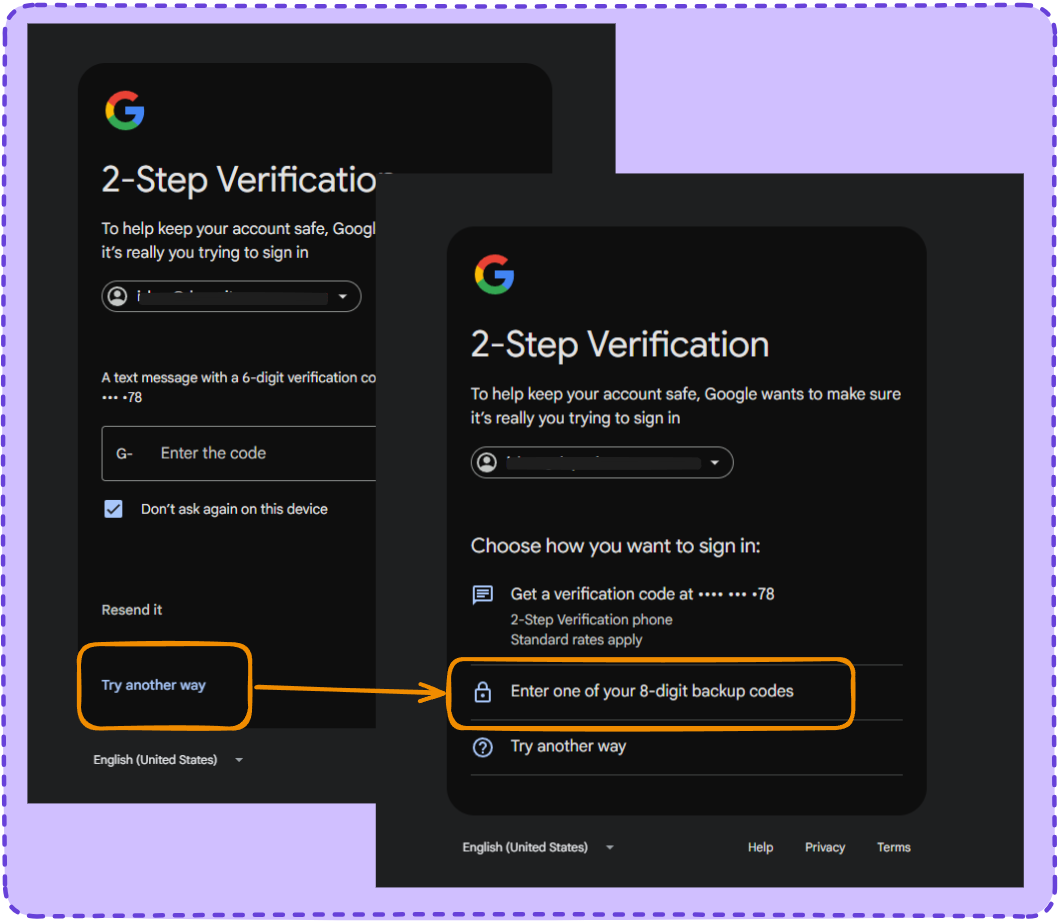
- It will ask for their 2FA
- Hit ‘Try another way’
- Hit ‘Use a Backup Code’
- Use a backup code