A simple man’s simple guide to the fucktopian, ass-backwards ‘process’ devised by the godkings at Google to transfer gmail data from one Workplace Tenancy to another.
There’s probably a better way, there’s always 10 ways to do anything with these chucklefucks, but this is what I did.
Capitalised words and phrases are for emphasis and your safety and / or demarcations of the steps I fucked up the first time.
-
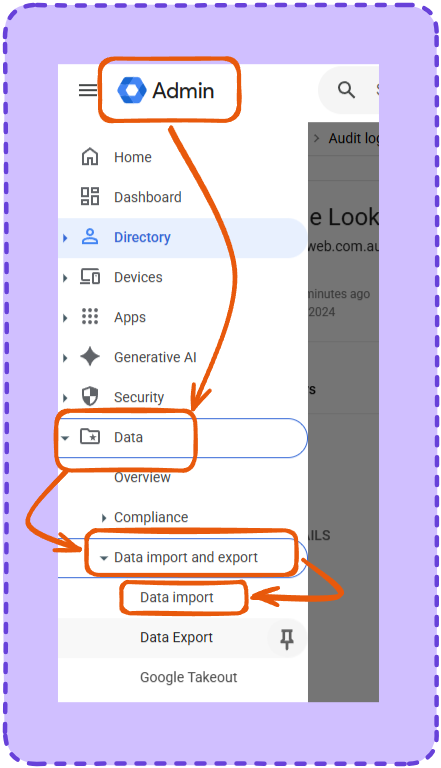
Sign into the GLOBAL ADMIN of the DESTINATION tenancy.
-
Data > Data import and export > Data Export
-
Scroll down to ‘Import data from another Google Account
- Choose BUSINESS GMAIL and click import
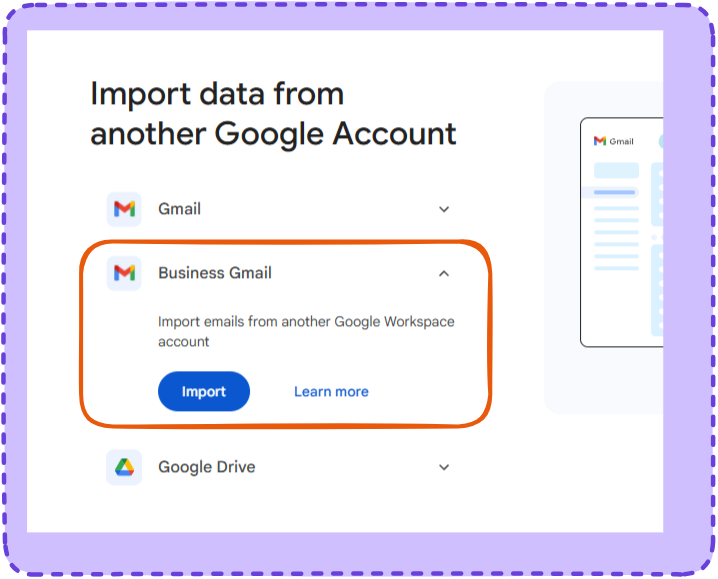
- Choose BUSINESS GMAIL and click import
-
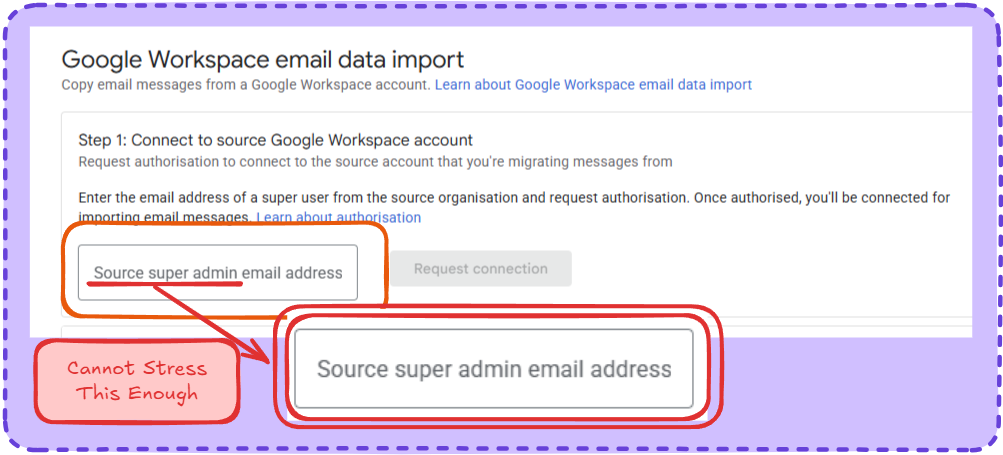
Enter the the email address of a GLOBAL ADMIN of the SOURCE TENANCY. You’re going to want to put the email you want to migrate over in here. Don’t
-
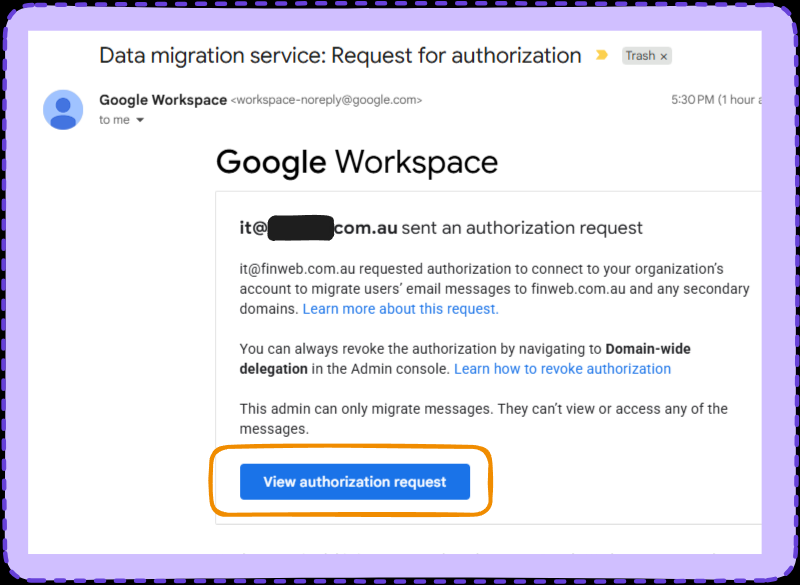
Sign into the GLOBAL ADMIN of the Source tenancy. Go to Gmail, find this email.
-
Accept the authorisation, I could get screenshots you’ll work it out.
-
Go back to the import screen we’re up to step two now. Uploading an import data map.
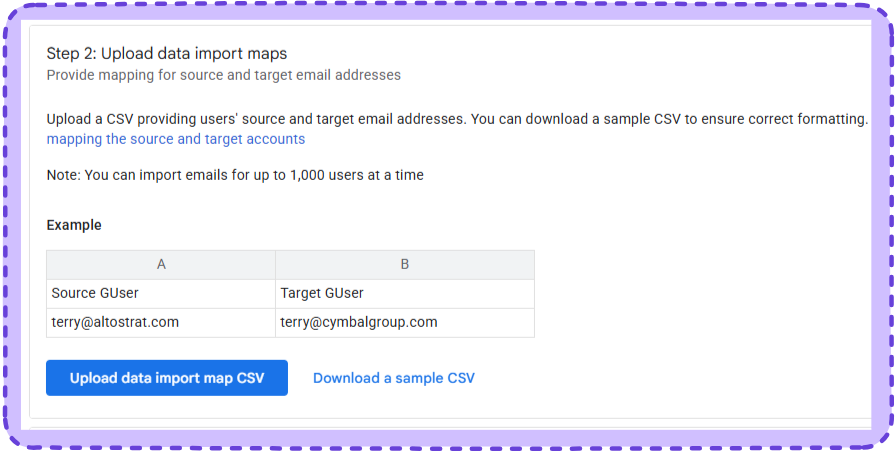 It sounds scary but the example these is literally it; Source Email and Target email.
Make it and upload it
It sounds scary but the example these is literally it; Source Email and Target email.
Make it and upload it -
Easy as fuck from here so they going in the same picture.
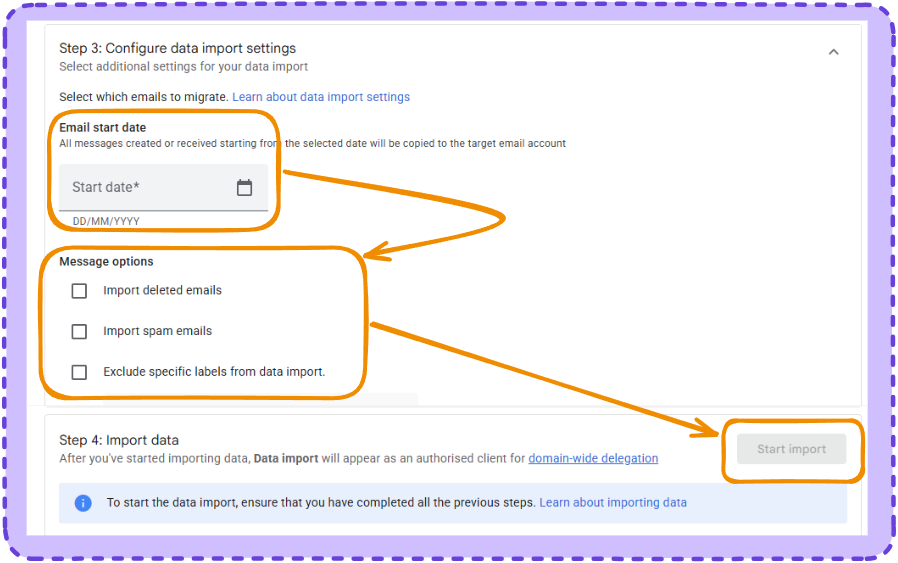
Pick settings hit go, I can’t tell you how long it takes or what happens after, I may or may not update this.