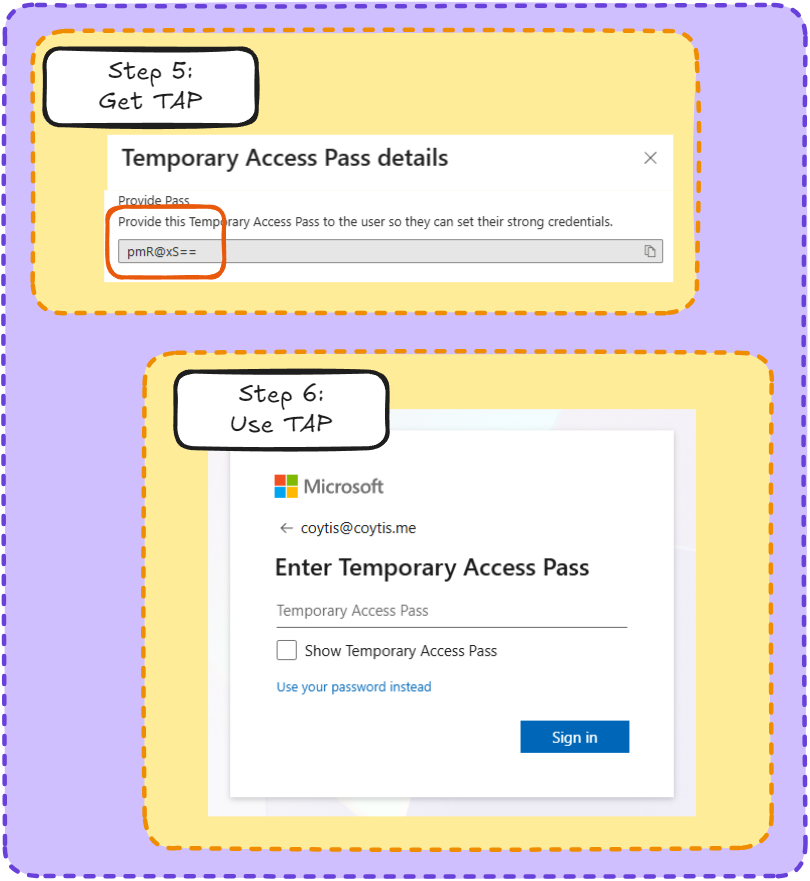
Step 1: Head to the MS Admin, go to Identity (Entra)
Step 2: In Entra admin? Hit Users, click on the user you want
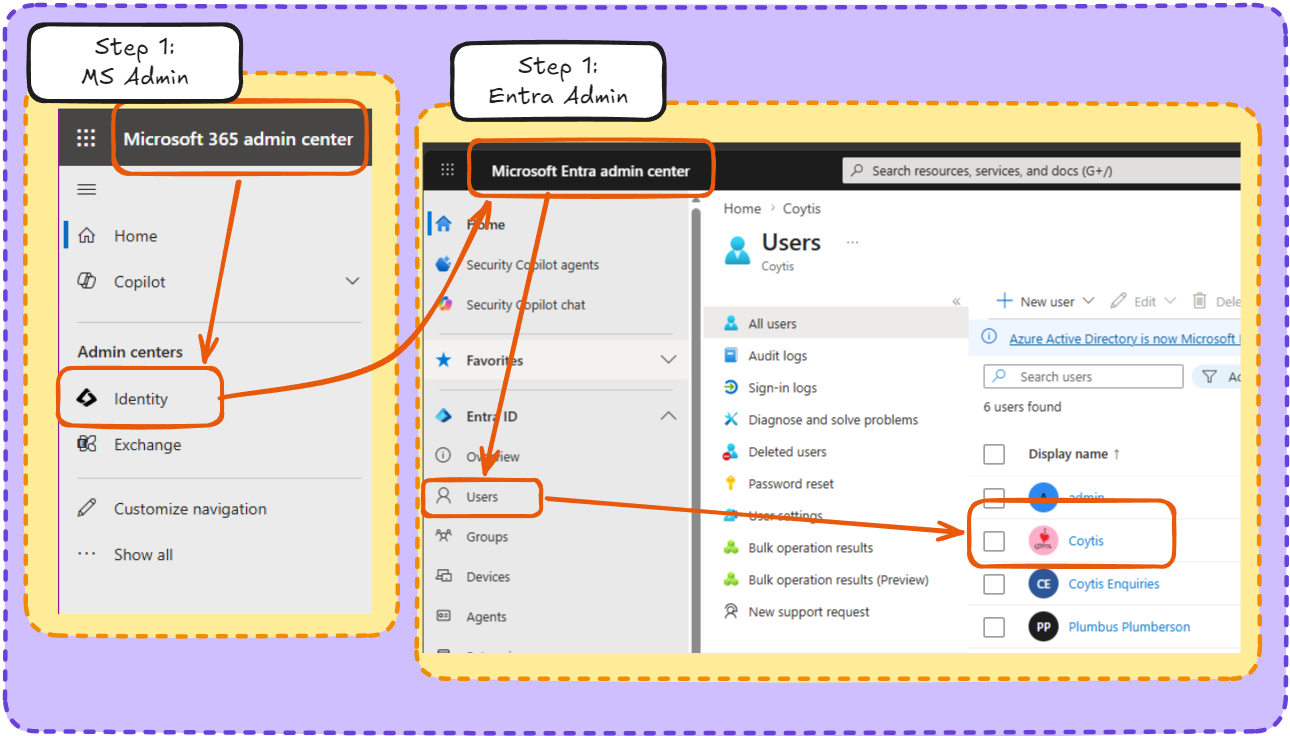
Step 3: Click on the user, in the user panel click on authentication methods.
Step 4: Select Temporary Access Pass, set your duration, default is 60 mins. Make sure it’s not on single use (they always break) and hit add
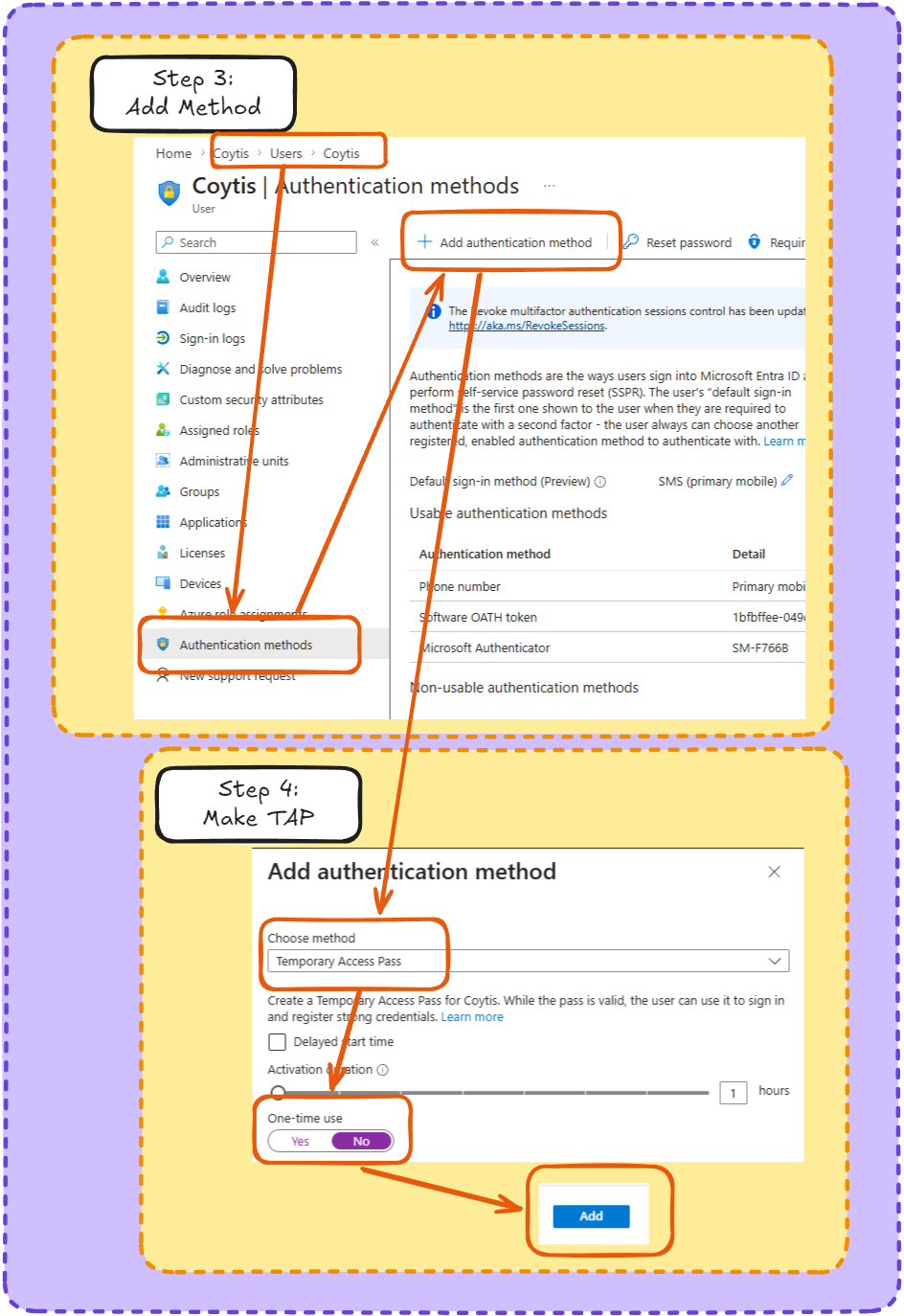
Step 5: Copy the TAP, be careful, once you close this window you can’t see it again./
Step 6:
Sign in anywhere with your TAP, if it asks for a PW, put a wrong one in and it will ask if you want to use the TAP instead.