Got some data in an CSV or something?
Looks like this? Don’t want it to?
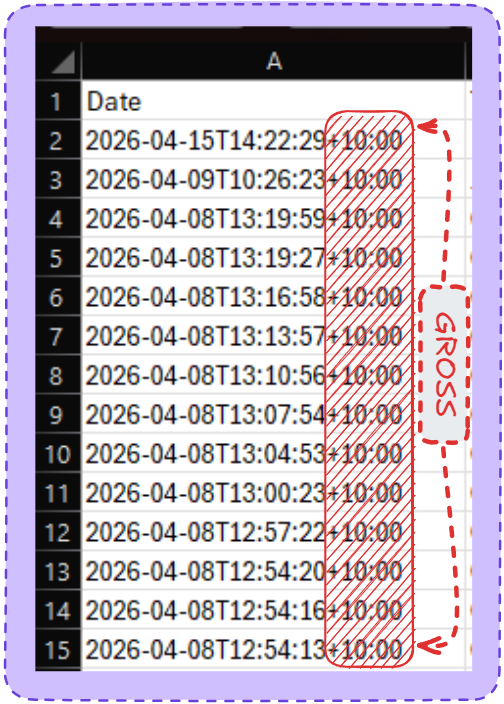
Want to get rid of that +10 because everyone knows our time zone?
Easy
- Select all the cells where you want to delete text.
- Press Ctrl + H to open the Find and Replace dialog.
- In the Find what box, enter one of the following combinations:
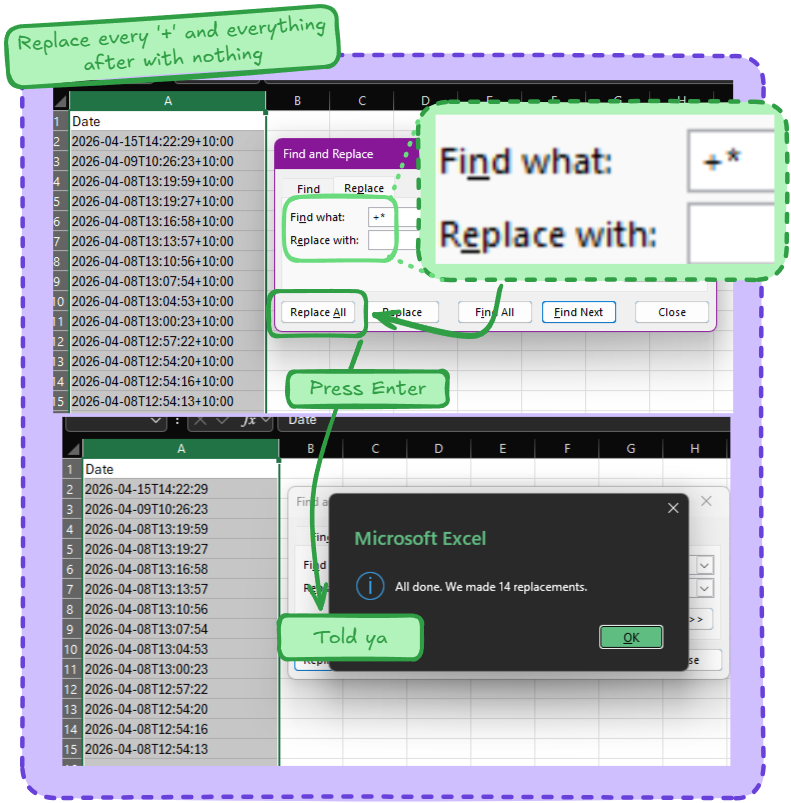
- To remove text after a certain character, type the character followed by an asterisk
- Example 1 Below
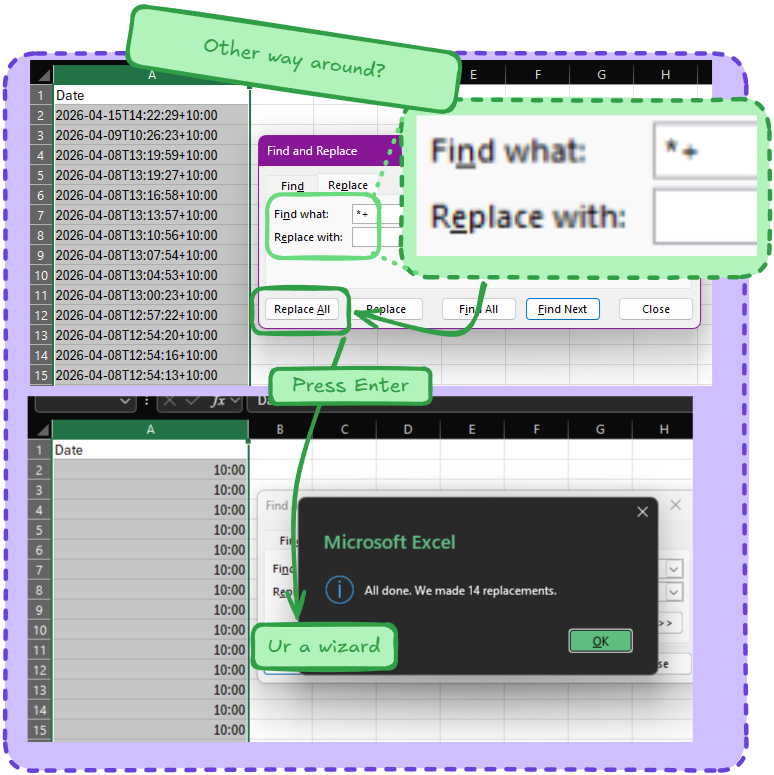
- To eliminate text before a given character, type the character preceded by an asterisk
- Example 2 Below
- To delete a substring between two characters, type an asterisk surrounded by 2 characters
- No Example, that’s homework
- To remove text after a certain character, type the character followed by an asterisk
- Leave the Replace with box empty.
- Click Replace all.
Example 1
Example 2