Step the One
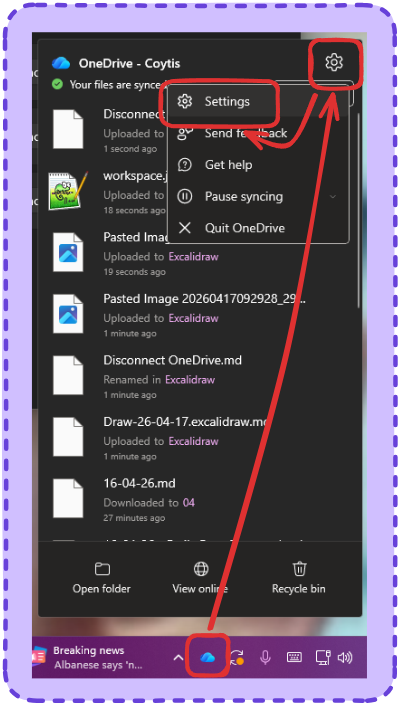
Click on the OneDrive Cloud in dock at the bottom right of your screen, next to the clock, then click the cog top right of the popup and then choose settings.
Step the 2
Once in settings, Choose ‘Accounts’ and then under the logged in account you’ll see ‘Unlink this PC’.
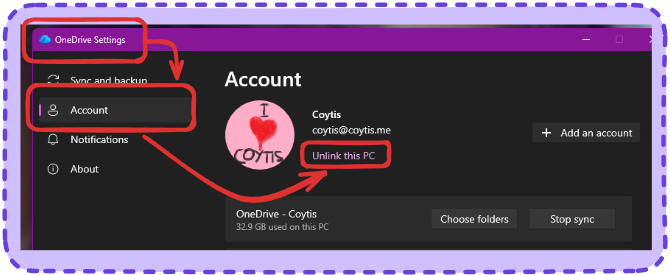
That will stop sync, any existing data will stay. if you want to get rid of that you’ll have to go to.
C:\Users\whateveryournamesis
And delete the OneDrive Folder